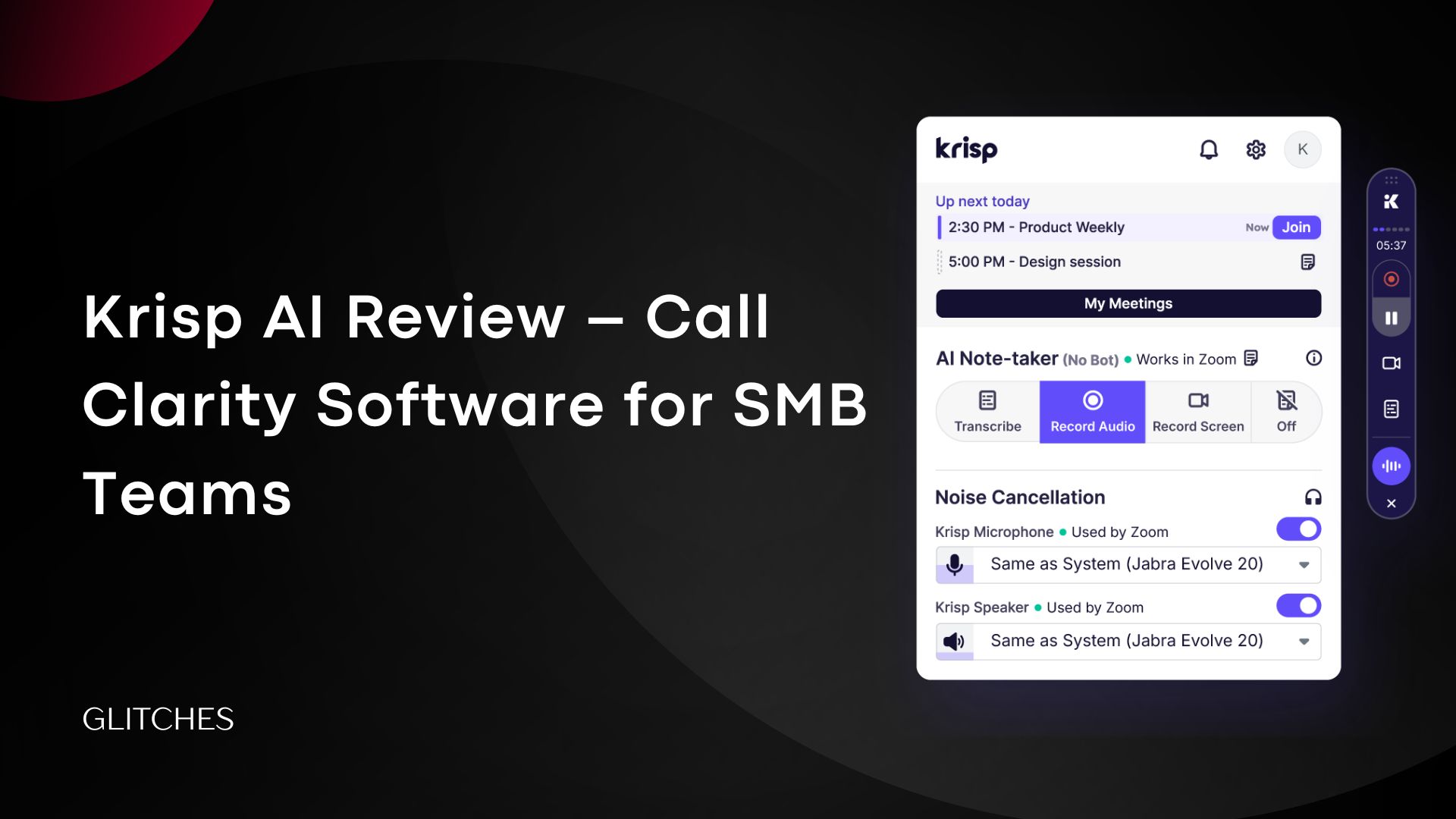

Imagine being in an important Zoom meeting, surrounded by noise, while your colleague is explaining a new company strategy—but their voice is unclear to you. Or you’re trying to explain your idea, but your voice comes out distorted. Doesn’t that negatively affect both you and the company?
We decided to conduct a Krisp AI review to see how effective it is at improving call quality and removing unwanted background noise. We tested the tool ourselves and also listened to feedback from previous users to understand their real experiences with the software.
In this review, we’ll cover everything you need to know about Krisp AI—its features, drawbacks, usage scenarios, pricing plans, and which plan fits your work best, along with opinions from users who have already tried it. After reading, you’ll have a complete understanding of Krisp AI and be able to decide whether it’s suitable for you or your team.
What is Krisp AI?
Krisp AI is not just an ordinary tool; it’s one of the first AI companies to focus on speech clarity. It uses artificial intelligence fully to separate and understand human voices from the surrounding noise. It isolates the parts that matter most—usually the speaker’s voice—and completely mutes unwanted sounds.
In other words, it creates a clean audio space for your calls or meetings, whether you’re working from a busy café, a crowded library, or a workshop.
Key Features Offered by Krisp AI
We will highlight the key features offered by Krisp AI. Based on our experience with the tool, we will explain each feature in detail and show you how it can improve your workflow.
AI Noise Cancellation
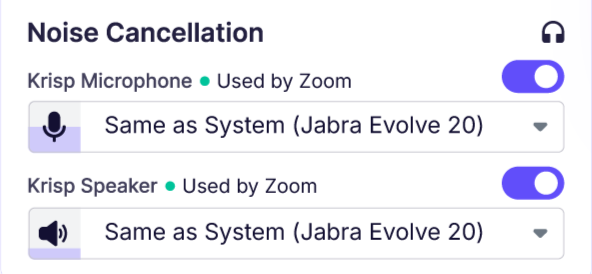
This is the core of Krisp, and it’s the main reason teams choose it.
Krisp distinguishes human voices from other sounds. After testing this feature, we noticed that noises like keyboard typing, traffic sounds, and background chatter disappear, while human voices remain clear. However, you need to make sure the microphone has no issues like static or other distortions, because Krisp might interpret those as human voice and not remove them. It’s also not ideal if two people are close together or sharing the same mic, as the AI cannot determine the main speaker.
Thanks to this feature, the number of requests to repeat decreases, and focus on speech increases—especially for small teams that work and meet remotely.
AI Summaries
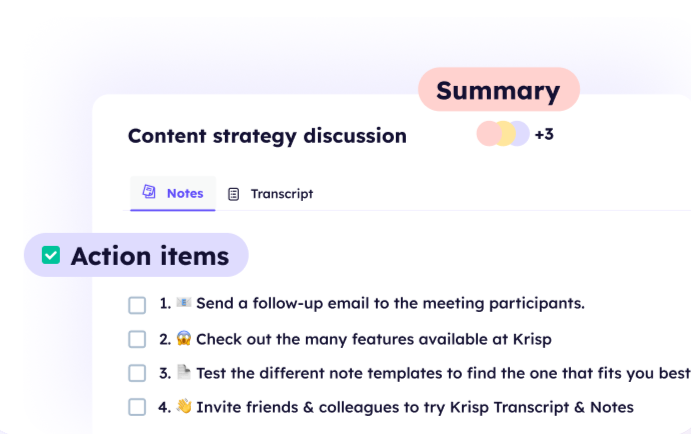
In general, AI-generated summaries either work well or fail noticeably.
From our experience, Krisp AI performed well but is not perfect for large companies, especially if the meeting is long and lasts for hours. However, it works well for simple tasks, particularly for a small team of 2 to 4 people. The point is clear: with this feature, you won’t need any manual summarizing—Krisp can be relied on.
AI Meeting Recording
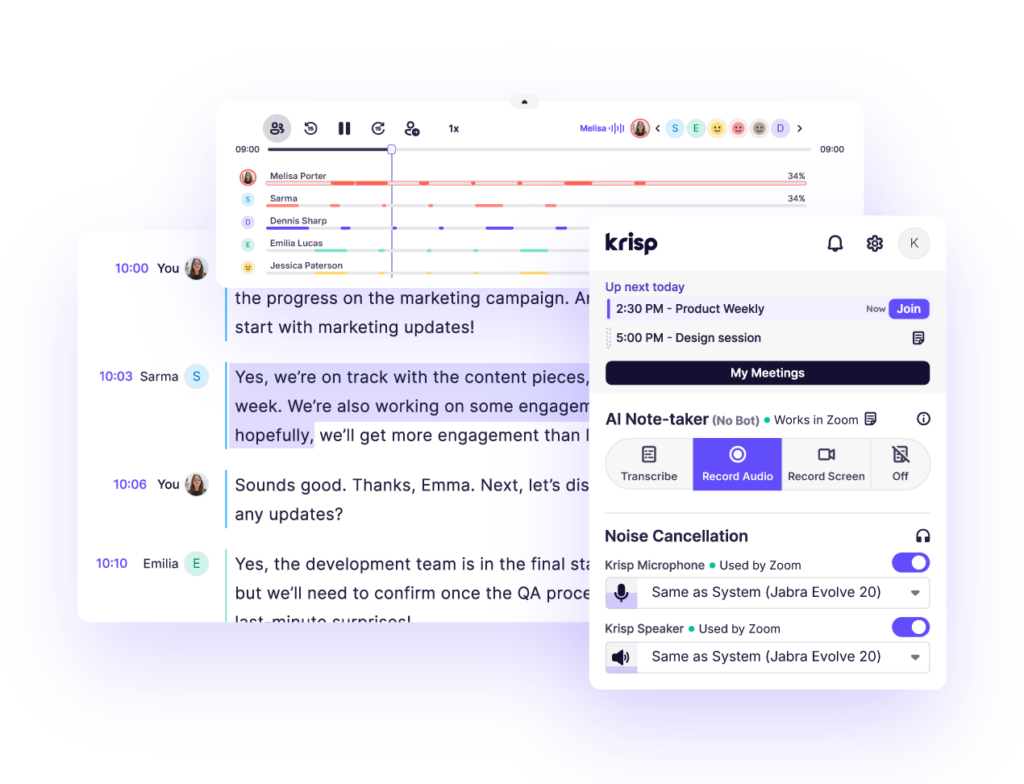
An important feature is recording meetings without bots, which helps maintain team privacy and peace of mind. By being so easy and convenient, it captures all meetings directly from your device without joining the call itself. The audio remains clear even with background noise.
Recordings help capture details that we might have missed in real time, and Krisp does this exceptionally well, honestly.
Cross-Platform Compatibility
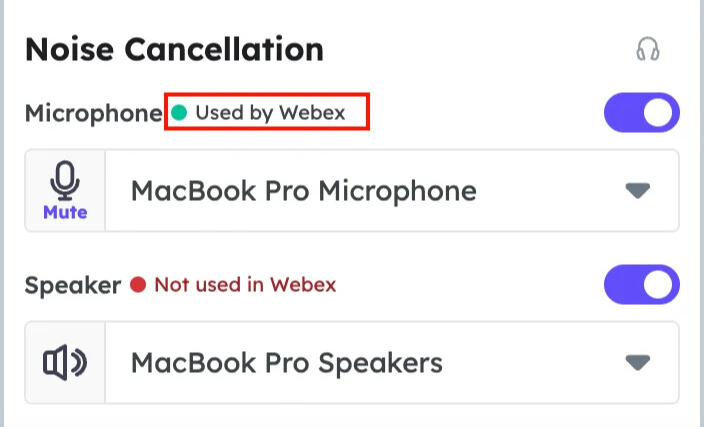
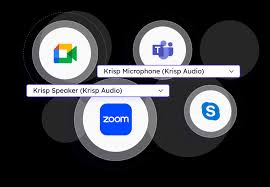
One of the great things Krisp offers is its compatibility with most platforms such as Zoom, Microsoft Teams, and Google Meet. It worked smoothly in our testing, while keeping the noise cancellation feature active across all platforms with no exceptions.
AI Accent Conversion
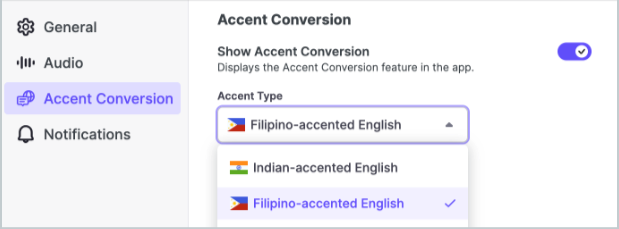
This may seem questionable to some, but based on our experience, it is mainly meant to add a more professional feel during work—especially for multinational teams. It works by converting the speaker’s voice into a local accent for a specific region.
However, this feature from Krisp can sometimes make the voice sound slightly dull, and at other times sound normal or even artificial. It is better not to enable it in long meetings.
Team & Admin Controls
Enabling this feature saves time and effort. After it’s activated, team members can no longer change the core settings, which reduces configuration errors, though it may feel restrictive for advanced users. This option is suitable for teams, not individual users.
We have reviewed the key features that Krisp AI offers, from artificial intelligence noise cancellation to transcription and team management, and shared our opinion on each feature along with things to watch out for.
Overall, the features Krisp provides make it one of the best platforms on the market for improving call and meeting quality and management—especially for medium-sized teams that may not be large in number but are spread across distant locations.
Krisp AI Pros and Cons
Pros
- Effective at removing background noise and echo
- Simple and easy-to-use interface with one-click voice activation
Krisp AI offers a free plan that you can try before subscribing to a paid plan
Compatible with different operating systems (macOS, Windows)
Works with all meeting applications such as (Zoom, Teams, Slack, Discord)
Strong privacy and security — Krisp processes audio locally on the device and complies with major security standards such as SOC 2 and GDPR, so there’s no need to worry about threats
Cons
- AI cannot summarize long meetings effectively
Issues with support and slow response times
Not suitable at all for old or low-performance devices
Real-World Use Cases for Krisp AI
It’s very important to understand the areas where using Krisp AI delivers real value. Below are the key business scenarios where the tool can make a significant difference in improving team performance and call quality.
- Call Centers & Customer Support Teams: In call centers, background noise is one of the biggest causes of poor customer experience. The noise often comes from keyboards, coworkers’ voices, and office chatter. Using Krisp increases professionalism and customer satisfaction, and indirectly helps improve schedule adherence and call organization.
Sales Teams & Client Calls: A key factor in sales is customer comfort and satisfaction, and voice clarity strongly affects the first impression. Speaking with a clear and professional voice—whether the sales representative is at home or in the office—is extremely important and should be taken seriously by any company. In addition, transcription and summarization features help document meetings and quickly extract key points after the call. A study in psychology states that the language and the way a salesperson or representative speaks—such as voice clarity, tone of voice, and manner of expression—affect the customer’s impression and purchasing behavior.
- Remote & Hybrid Work Environments: Geographically distributed teams naturally rely on virtual meeting tools. Krisp AI helps remove noise and improve clarity in work conversations, as explained earlier.
- Online Meetings & Webinars: When someone attends a webinar, it often gives the impression of a major event. Hosting webinars is a smart step for small companies that want faster visibility and competition. For this reason, any sudden noise can negatively affect the entire experience. Here, Krisp acts as an additional layer of protection to improve workflow and audio quality during live sessions or large meetings.
- Content Creators & Professional Recording: For content creators, Krisp AI can improve voice clarity, especially when a fully soundproof recording room is not available.
Krisp AI Pricing: Plans, Features, and Comparison
Krisp AI Pricing offers a variety of subscription plans tailored to different company types and sizes, whether small, large, or even for individual users. We will go through the pricing details, explain the available plans, compare their core features, and help you determine the most suitable plan for your business needs.
Key Features | Ideal For | Monthly Price (Monthly Billing) | Monthly Price (Annual Billing) | Plan |
Full access to all paid features without exception for 7 days only. | New users who want to try the tool before subscribing. | $0 | $0 | Free Trial |
Transcription and translation of summaries in more than 16 languages, support for in-person meetings, AI-powered chat, phone and plugin support, 5 GB of storage, and basic integrations. | Small teams working remotely. | $16 | $8 | Core |
All features included in the Core plan, plus SSO/SCIM, deal aggregation, 4 hours per day of accent conversion, 30 GB storage, advanced integrations, API access, admin controls, meeting link sharing, policy management and configuration, and a dedicated account manager. | Medium-sized companies, in addition to small businesses that have started expanding and have teams distributed across different geographic locations. | $30 | $15 | Advanced |
All features from the previous plans, plus advanced security and analytics, SOC 2 compliance, private recordings, usage reports, data center options, and a dedicated account manager. | Large enterprises and major corporations. | Custom | Custom | Enterprise |
In general, Krisp AI pricing is designed to meet the needs of different company sizes and types—from a small business or a single individual to a large enterprise with many employees across different regions worldwide. It offers both monthly and annual billing options, with a 50% discount when subscribing annually. The available plans allow you to scale according to your needs, feature requirements, and budget.
We have prepared a comprehensive table so you can choose the plan that best aligns with your company.

Start for free with full access to all features for 7 days.
What Users Are Saying About Krisp
We reviewed real user feedback on Krisp AI across different sectors and teams to understand how the tool performs. The quotes below provide a quick glimpse into users’ experiences, highlighting both strengths and, at times, weaknesses. These insights complement our hands-on tests and offer a clearer picture of what to expect when using Krisp.
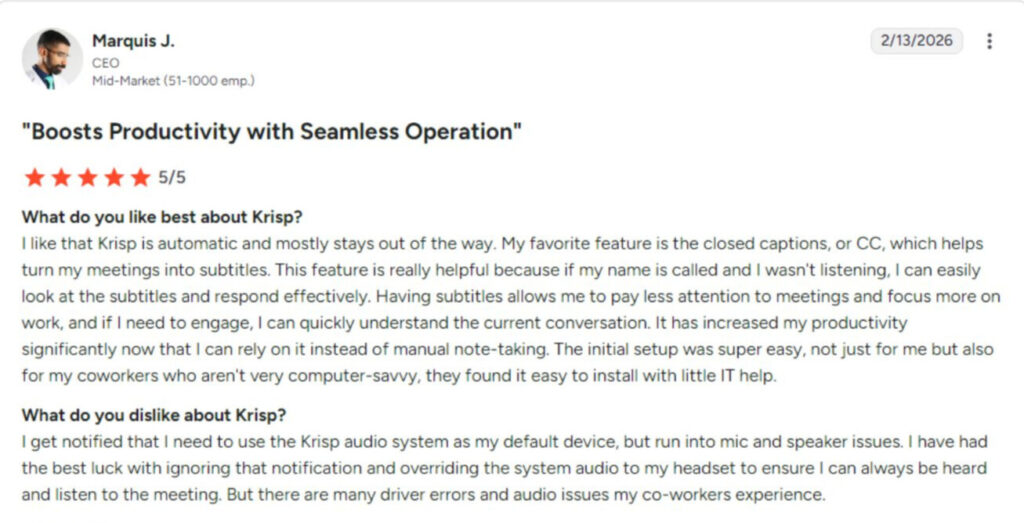
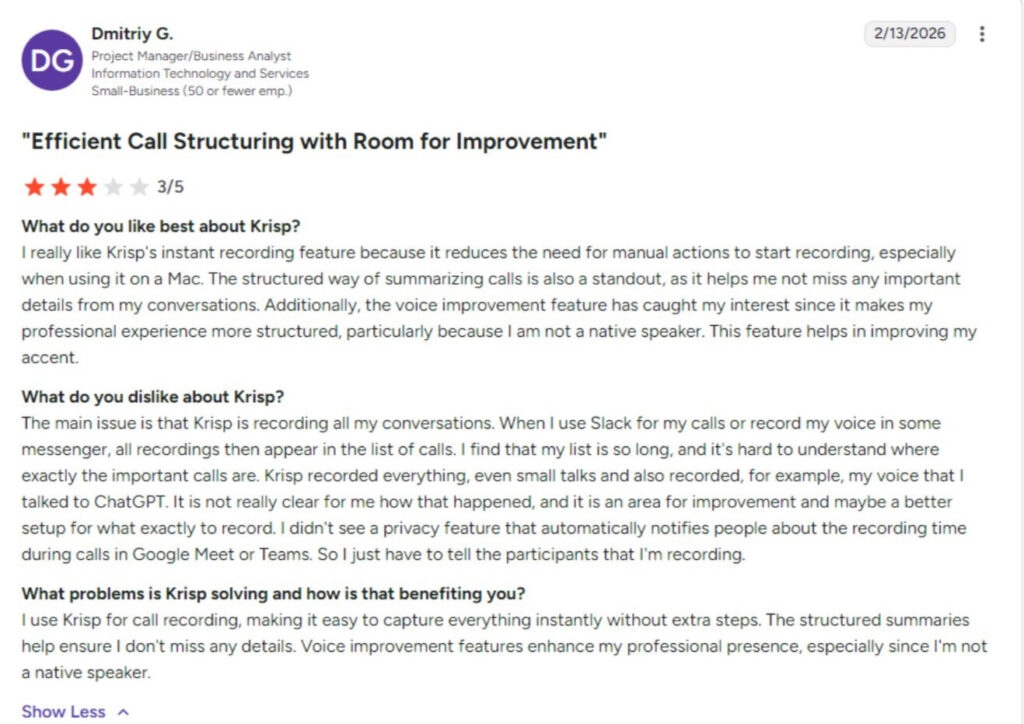
According to user reviews on the G2 platform
Is Krisp AI Right for Your Business?
Based on our Krisp AI review, the software delivers strong performance in noise cancellation and voice isolation. Krisp has made significant progress in improving meetings through summaries, recording, transcription, and seamless compatibility with the most popular platforms, making it ideal for remote teams—especially medium-sized companies or even individuals who need reliable noise cancellation, as explained earlier.
When evaluating Krisp AI pricing, the value becomes clear for teams that rely heavily on calls. Companies handling a high volume of calls benefit from plans that offer more advanced features, while free or lower-cost plans may be sufficient for users who depend less on frequent meetings.
If your work is affected by call quality or you often lose important details during meetings, Krisp AI is a practical option worth considering.
Start for free with full access to all features for 7 days.
FAQ
-
Is Krisp AI free?
Yes, the tool offers a free plan that provides access to all features without exception for 7 days only. After this period, the user must upgrade to a paid plan.
-
What is Krisp noise suppression?
Krisp noise suppression is an AI-powered feature that removes background noise from both your microphone input and incoming audio. It can filter out sounds like keyboard typing, office chatter, traffic, and other environmental noise in real time during calls.
Unlike traditional noise filters, Krisp processes audio locally and works across major communication platforms without requiring additional hardware. -
How to install Krisp for free?
Go to the official Krisp website.
Create a free account.
Download the desktop application for your operating system (Windows or macOS).
Install the app and select Krisp as your microphone and speaker inside your communication tool (e.g., Zoom or Microsoft Teams).